 "How to restrict people from adding you in WhatsApp groups")
It gets pretty annoying when people add you to WhatsApp groups that you do not want to be a part of. The flood of messages alone gets annoying to handle. In WhatsApp, even unknown people can add anyone to a group which raises a question on its security as well. Here is good news for you, users can now get out of this and control who can add them in groups. This is also a good way of staying away from the people who create groups and spread misinformation in public. (Also Read:
How to share WhatsApp Status to Facebook Stories
) [caption id=“attachment_5481551” align=“alignnone” width=“1024”]
 A WhatsApp representative displays key chains with the logo of WhatsApp. Image: Reuters[/caption] Here are a few steps that can help you avoid such situations where you have to actually exit a group manually when you never wanted to be a part of it in the first place. [caption id=“attachment_7610251” align=“alignnone” width=“1024”]
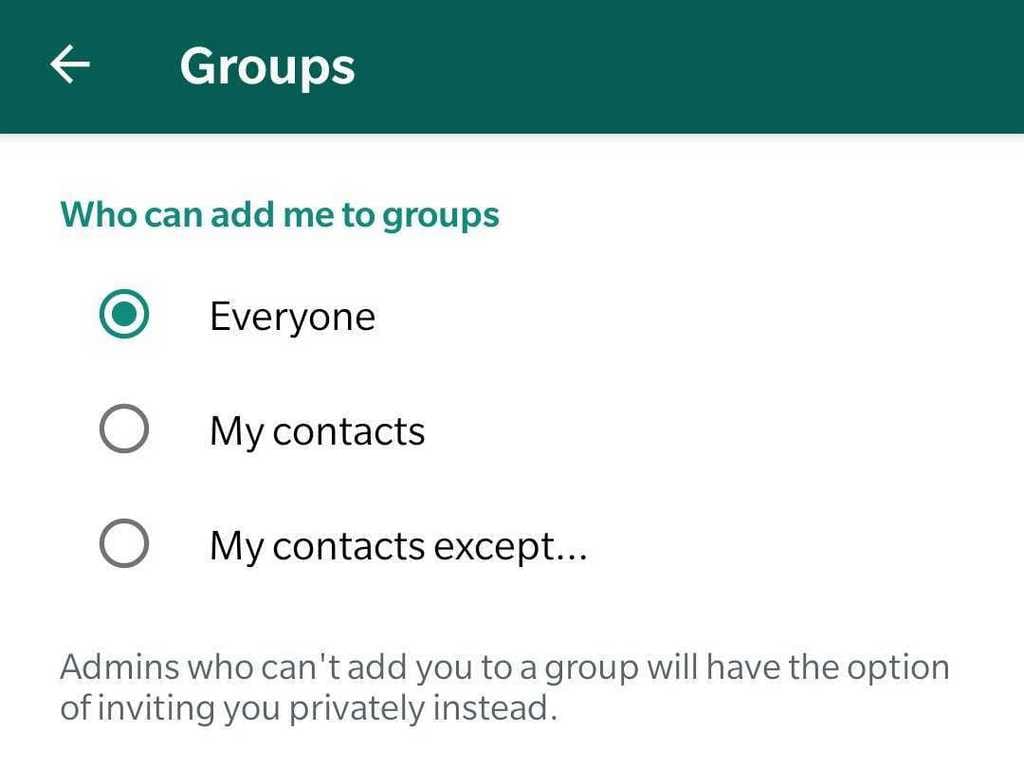 A new WhatsApp update in the group privacy section.[/caption]
[hq]How to restrict people from adding you to a WhatsApp group[/hq]
[hans][hstep]Step 1: Open WhatsApp and tap on the vertical three dots on the top left corner[/hstep] [hstep]Step 2: Go to Settings > Account > Privacy > Groups[/hstep] [hstep]Step 3: You will come across three options — Everyone, My contacts, and My contacts accept[/hstep] [hstep]Step 4: Deselect ‘Everyone’ and then choose from the other two options as per your wish[/hstep][/hans] And that is it. If the restricted person tries to add you to a group, he/ she will have an option to send you a private invite that will expire in the next three days. (Also Read: How to enable WhatsApp dark mode on Android and iOS devices )